Eating My Own Dog Food (Recursively)
I built a workflow orchestrator that analyzes GitHub repositories. On day one, I pointed it at itself.
Seven steps executed automatically: metadata retrieval, file tree mapping, README analysis, quality assessment, commit history review, issue scanning, and final synthesis. Each step reported back — assertions evaluated, variables extracted, and outcomes tracked. No human confirmation required — just pure autonomous execution through the feedback loop I'd designed.
The final report scored my own repository 7.5 out of 10.
Quality Assessment:
- Test Coverage: A (77 BDD specs, 100% coverage)
- CI/CD: D (no pipeline configured)
- Documentation: A (4 dedicated docs beyond README)
- Overall: "Well-engineered early-stage project. Main gaps: no CI/CD, no license, single contributor."
The workflow wasn't being polite. It was right. Within the same session, I addressed all three gaps: added GitHub Actions with pytest/ruff/mypy, created a CONTRIBUTING.md with development guidelines, and added an MIT license. Then I pointed the same workflow at Microsoft's azure-devops-mcp repository (1.2k stars, 340 forks, 6 CI pipelines).
Final score: 9.0 out of 10. Same workflow, different repo, accurate assessment.
This wasn't impressive because the orchestrator could critique code quality — plenty of tools do that. It was impressive because I'd delivered the entire system, from design to working demo, in 2 days instead of the 7 days I'd planned. And the reason wasn't luck or heroic effort.
It was design.
Make the Computer Do the Boring Parts
When the specification is complete, implementation becomes pattern-matching. When the specification has gaps, implementation becomes guesswork.
Most people think "AI-assisted development" means using Copilot or Claude to write code faster. Type a comment, get a function. Describe a feature, get an implementation. The AI becomes faster hands.
That's useful, but it's the wrong leverage point. The real power comes from spending your time writing comprehensive specifications — BDD test scenarios that describe what the system should do, not how it should do it — and letting AI handle the mechanical translation to code.
I planned a 7-day implementation:
- Days 1-2: Extended parser (5 BDD scenarios)
- Days 2-3: Enriched prompt builder & feedback loop (8 scenarios)
- Days 3-4: Assertion extraction & outcome tracking (4 scenarios)
- Days 4-5: Variable flow between steps (5 scenarios)
- Days 5-6: Workflow execution loop & reporting (4 scenarios)
- Day 7: Documentation and examples
Total: 26 BDD scenarios covering every architectural decision.
I delivered it in 2 days with 77 tests passing. Not 26 tests — 77, because each scenario expanded into multiple test cases covering edge cases, error conditions, and integration paths. The design doc specified the data structures (WorkflowStep, StepOutcome, WorkflowState), the parser rules, the prompt enrichment format, the callback protocol, and the assertion evaluation model.
GitHub Copilot didn't "figure out" how to build this. It pattern-matched against my specifications. I wrote the design. The machine did the typing.
Choose Your Poison: Code, YAML, or Vibes
AI workflow automation is currently broken because you have to pick between three bad options.
Code-based orchestration (Airflow, Prefect, n8n): Powerful but verbose. You write Python or JavaScript to define workflows. Change the workflow, change the code. Want to see what the workflow does? Read the code. Want a non-engineer to understand it? Good luck.
YAML/JSON DSLs (GitHub Actions, Azure Pipelines, every CI/CD tool invented after 2015): Deterministic but unreadable. It's technically human-readable in the same way assembly is technically human-readable. Every YAML file starts with good intentions and ends with you Googling "yaml whitespace hell" at 2am.
Pure LLM prompting: Readable but non-deterministic. You describe what you want, the LLM tries to do it, and sometimes it works. No validation, no variable flow, no way to know if step 3 actually received the output from step 2. It's vibes-based infrastructure.
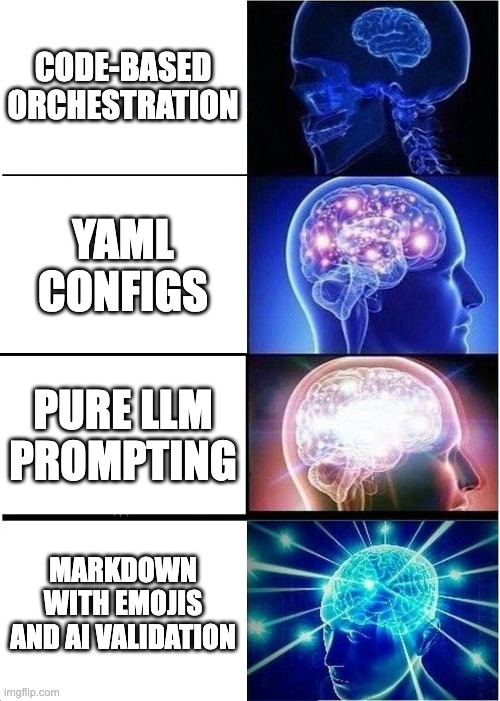
I wanted something that combined natural language readability with deterministic execution and automated validation. Markdown workflows that an engineer could skim and understand in 30 seconds, but that would execute reliably with tool specifications, assertion checks, and variable flow between steps.
That became the workflow orchestrator MCP server.
Yes, I Made a Workflow Language That Requires Emojis
Here's what a workflow looks like:
### 🔧 WORKFLOW STEP: Discover repositories
```
Find all repositories in the current project.
```

### 🛠️ TOOL: repository_discovery

### 📤 OUTPUTS:
- result.repositories[0].name → REPO_NAME

### ✅ ASSERT:
- result contains "repositories"
- result.repositories.length > 0
If you're familiar with Gherkin — the Given/When/Then syntax used in Cucumber and other BDD frameworks (if you've ever seen test specs that read like English, that's Gherkin) — this should feel recognizable. The step description is the "Given/When" narrative. The tool specification says "what to invoke." The assertions are the "Then" expectations. The outputs define what data flows to the next step.
The difference is that Gherkin describes tests. This describes automation.
About those emojis: Yes, I made a workflow language that requires emojis. Yes, this means you need AI assistance to write workflows. Yes, I see the irony. No, I don't care — have you seen how easy these are to skim?
The emojis make visual scanning trivial. You can read a 50-step workflow and instantly see where phases begin, what tools are being used, and which steps have assertions. It's a deliberate choice favoring readability over hand-writability. The workflows are meant to be read by humans and executed by machines. The tradeoff is that authoring them by hand is awkward, but that's acceptable when the audience is engineers who already work with AI tooling.
You write workflows the same way you'd write code with Copilot: describe what you want, let AI handle the syntax, then review and adjust.
The Feedback Loop That Makes It Work
Here's the architectural insight that makes this different from pure LLM prompting:
Traditional approach:
You → Prompt → LLM → [execution happens somewhere] → ???
Workflow orchestrator:
You → load_workflow → Orchestrator → enriched_prompt → LLM
                                                         ↓
LLM executes tools, evaluates assertions ←───────────────┘
                      ↓
              report_step_result (callback)
                      ↓
              Orchestrator records outcome
                      ↓
              Next step or complete
The orchestrator doesn't execute tools — GitHub Copilot (or Claude, or whatever LLM you're using) does that using whatever MCP tools are available. The orchestrator's job is to:
- Parse the workflow into structured steps with tool names, inputs, outputs, and assertions
- Build enriched prompts that tell the LLM exactly what to do, what tools to use, and what "success" looks like
- Receive callbacks when the LLM finishes each step, reporting pass/fail and extracted variables
- Track state so variables flow between steps and execution can halt on failure
The LLM evaluates the assertions, not the orchestrator. When you write:
### ✅ ASSERT:
- result.repositories.length > 0
The LLM sees that in the enriched prompt, executes the tool, examines the result, and reports back: "Assertion passed: found 5 repositories." That result gets recorded in the workflow state. If it had failed, subsequent steps would be marked as skipped.
This is non-deterministic validation. Two runs against identical data could theoretically produce different pass/fail decisions depending on LLM interpretation. That's an acceptable tradeoff for a system meant to automate engineering workflows where humans review the results anyway; you get human-readable assertions (no expression parser needed) at the cost of statistical rather than mathematical certainty.
If you need deterministic guarantees, write Python. If you need readable automation with validation, use this.
77 Tests for a 2-Day Project (Thorough or OCD? Both.)
Here's where the design-first methodology paid off.
I didn't write 77 tests after implementing the system. I wrote 26 BDD scenarios before writing any implementation code, describing the expected behavior:
- Scenario 1.1: Load workflow with tool specifications
- Scenario 2.3: Include resolved variables in enriched prompt
- Scenario 4.5: Chain outputs through multiple steps
- Scenario 6.2: Workflow execution with step failure
Each scenario became multiple pytest tests. "Load workflow with tool specifications" expanded into tests for single-tool steps, multi-tool steps, missing tool specs (error case), malformed tool specs (error case), and tool specs with comments. One scenario → 5+ tests.
By the time I started implementing, every architectural decision was already made:
- How do variables flow? (OUTPUTS map result paths to variable names, INPUTS reference those names)
- What happens on assertion failure? (Step marked failed, subsequent steps skipped)
- How does the LLM report back? (Callback tool with structured StepOutcome)
- What if required variables are missing? (ActionableError with suggestion)
GitHub Copilot didn't have to guess. It pattern-matched against the specifications. When I wrote:
def test_substitute_variable_in_next_step_prompt(self):
    """Given step 1 reports output REPO_NAME via callback
    And step 2 has input specification requiring REPO_NAME
    When the orchestrator builds step 2's enriched prompt
    Then the REPO_NAME value should be substituted"""
Copilot generated the test implementation, then when I asked it to "make this test pass," it generated the prompt builder logic that resolves variables. Not because it understood the system architecture — because the test described the system architecture.
The result: 77/77 tests passing in 1.47 seconds, 100% code coverage, fully documented, in 2 days instead of 7.
The Secret: It's AI Assistance All the Way Down
Here's what actually happened during those 2 days.
I didn't sit alone in a dark room writing BDD specifications from scratch. I had a conversation with Claude (yes, an AI wrote part of the design doc for a system that orchestrates AI workflows — the recursion is getting uncomfortable).
The process looked like this:
Me: "I want to build a workflow orchestrator that extends my demo-assistant-mcp project. It should add tool specifications, assertions, and variable flow between steps."
Claude: "That makes sense. Here's how I'd structure the phases: parser extension first, then prompt builder, then feedback loop..."
Me: "Wait, how does the LLM report results back? I don't want the orchestrator polling."
Claude: "Callback tool. The LLM calls
report_step_resultwith status, assertion results, and output variables. The orchestrator updates state and returns the next step."Me: "Perfect. What if assertions fail?"
Claude: "Mark the step failed, skip subsequent steps. Here's the StepOutcome data structure..."
We went back and forth for maybe 2 hours. By the end, I had a 26-scenario BDD specification and complete architectural documentation. That became the design doc that GitHub Copilot implemented.
The BDD template I now add to every project plan:
### 1. Test Who/What/Why, Not How
BDD specifications describe behavioral contracts, not implementation details.

### 2. Mock I/O Boundaries Only
Mock at I/O boundaries (APIs, databases, file systems).
Never mock internal helper functions or pure logic.

### 3. 100% Coverage = Complete Specification
If we don't have 100% test coverage, we have an incomplete specification.

### 4. Test Public APIs Only
Private functions achieve coverage through public API tests.

### 5. Greenfield = Correct Names From Start
Use correct conventions from day one. No legacy baggage.
This template goes at the top of every design doc. It tells Copilot (or Claude, or whatever AI is reading the spec) exactly how to structure tests. When Copilot sees a scenario like:
Given a step with OUTPUTS defined
When the LLM calls report_step_result with status "passed" and output values
Then the output variables should be merged into the workflow state
It knows to:
- Mock the LLM callback (I/O boundary)
- Test the public
report_step_resultAPI - Verify the behavior (variables merged) not the implementation (which dictionary method was used)
The result is that I spend my time thinking about system behavior, not writing boilerplate. Claude helps me organize my thoughts into specifications. Copilot turns those specifications into passing tests. I review, adjust, ship.
It's AI assistance all the way down. And that's the point.
The leverage isn't in "AI writes my code faster." The leverage is in "AI lets me work at a higher level of abstraction." I think in behaviors and contracts. The machine handles the syntax and plumbing.
Known Limitations (Honest Engineering Edition)
This is a v1. It solves real problems within known constraints. Here's what it doesn't do:
1. The emoji syntax requires AI assistance to author
I could have used ## STEP:, ## TOOL:, ## ASSERT: headers instead. That would have been easier to type by hand. It also would have made workflows harder to skim — every step would look identical until you read the text.
The emojis make the structure visual. You can scroll through a 50-step workflow and instantly spot tool specifications, assertions, and variable flows. That's worth the tradeoff of needing Copilot or Claude to help author them.
If user feedback says this is the wrong call, I can add a parser flag that accepts both syntaxes. But I suspect the people who care about hand-authoring workflows aren't the people who need AI workflow orchestration.
2. No branching or conditional logic
The orchestrator executes steps sequentially. Step 1 → Step 2 → Step 3. If Step 2 fails, Step 3 gets skipped. That's it.
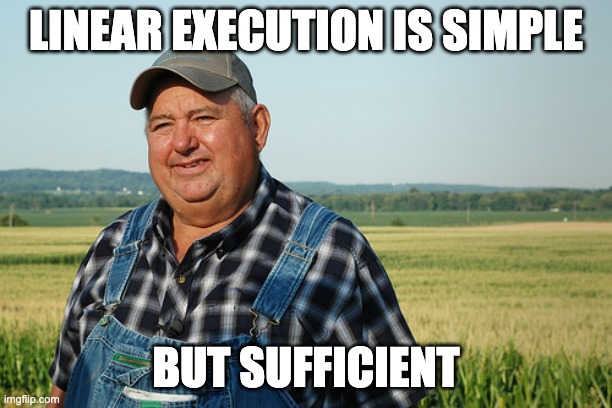
No if result.status == "error" then retry else continue. No while attempts < 3. No parallel execution. This is intentional — the design chose linear, fail-fast execution for MVP because that handles 80% of automation workflows (data pipelines, PR creation, repo analysis, deployment verification).
Adding branching is straightforward from an architecture perspective:
- Extend the parser to recognize conditional step markers
- Add a condition evaluator to the executor
- Update the state machine to support jumps
But it would complicate both the mental model and the implementation. Every conditional adds a code path that needs specifications. Every loop adds state that needs tracking. The current design is intentionally simple.
If you need branching, you have two options:
- Wait for v2 (or contribute a PR — the architecture supports it)
- Use separate workflows for different code paths and chain them manually
Most workflows don't need branching. The ones that do are usually complex enough that you should be writing code, not markdown.
What This Means: Planning Prevents "Works Until It Doesn't"
Here's the trap with AI-assisted development done poorly: you iterate fast, ship something that seems to work, and then discover the gaps when production breaks at 2am.
The LLM makes plausible-looking code. It handles the happy path beautifully. But edge cases? Error handling? The subtle interaction between module A and module B that only matters under load? Those require human reasoning about system behavior.
The design-first approach forces you to think through those cases upfront.
When I wrote "Scenario 4.4: Missing required input variable," I had to decide: What happens when Step 3 needs REPO_NAME but Step 2 didn't set it? Should it skip? Fail with an error? Try to infer it from context?
I chose: "Raise ActionableError indicating which variable is missing." That decision went into the spec. Copilot implemented it. The test verified it. When the orchestrator runs and hits that case, it behaves correctly — not because the AI "figured it out" at runtime, but because I made the decision during design and encoded it in the specification.
Yes, we still iterate in this model. The first draft of my design doc had assertions evaluated by the orchestrator using a Python expression parser. Claude pointed out that was overengineered — the LLM could evaluate them and report back. We revised the spec. That's iteration at the design level, which is cheaper than iteration at the implementation level.
But the iteration happens before Copilot writes the code, not after. By the time implementation starts, the major architectural decisions are settled. What remains is tactical iteration — refining edge case handling, improving error messages, optimizing performance.
The alternative is iterating after implementation, which means rewriting code when you discover your assumptions were wrong. That's expensive and error-prone.
The upfront planning investment pays dividends in avoiding the "works on my machine until production" problem. The 2-day delivery wasn't just fast — it was reliable. 77 tests passing means 77 scenarios where the system behaves correctly. Not "seems to work." Actually works.
That's the difference between AI-assisted coding and AI-assisted engineering.
What's Next
The workflow orchestrator is open source on GitHub with 6 demo workflows you can run today. If you're building MCP tools or thinking about AI workflow automation, try it out. The README has one-click installation for VS Code.
More importantly: try the design-first approach on your next project. Write the BDD scenarios before writing code. Have a conversation with Claude about system behavior. Let the AI organize your thoughts into specifications. Then let Copilot turn those specs into implementation.
You'll ship faster. More importantly, you'll ship code that actually works when it matters.
Postscript: The day after I finished this post, GitHub shipped Agentic Workflows — a technical preview that uses Markdown files as workflow definitions running inside GitHub Actions. Different architectural layer, different scope, but the same core insight: Markdown is the right language for describing what you want AI agents to do. Independent convergence. If you're wondering why this design space is suddenly getting attention from well-resourced teams, this post is a decent starting point for understanding why the approach works.
Related Projects:
- demo-assistant-mcp — The parent project, (upcoming post) focused on live presentation orchestration
- Workflow Orchestrator MCP — This project, automated workflow execution
More on Design-First Development:
I'll be writing more about the demo-assistant series and how it informed this orchestrator. If you want to follow along, I'm at jackpines.info and occasionally on LinkedIn.
Now if you'll excuse me, I need to fix the fact that my own repository still only has 1 star. The orchestrator was very pointed about that.






No comments:
Post a Comment